

This is a genuine three-way reconciliation: your adjusted bank statement, your trust journal, and the sum of your client ledgers all have to agree. VisaFlo blocks sign-off until they do.
Start the check
Open Trust Accounting → Month-end check. Overdue months are flagged on the home screen too. Press Start the check for the account and month you’re reconciling.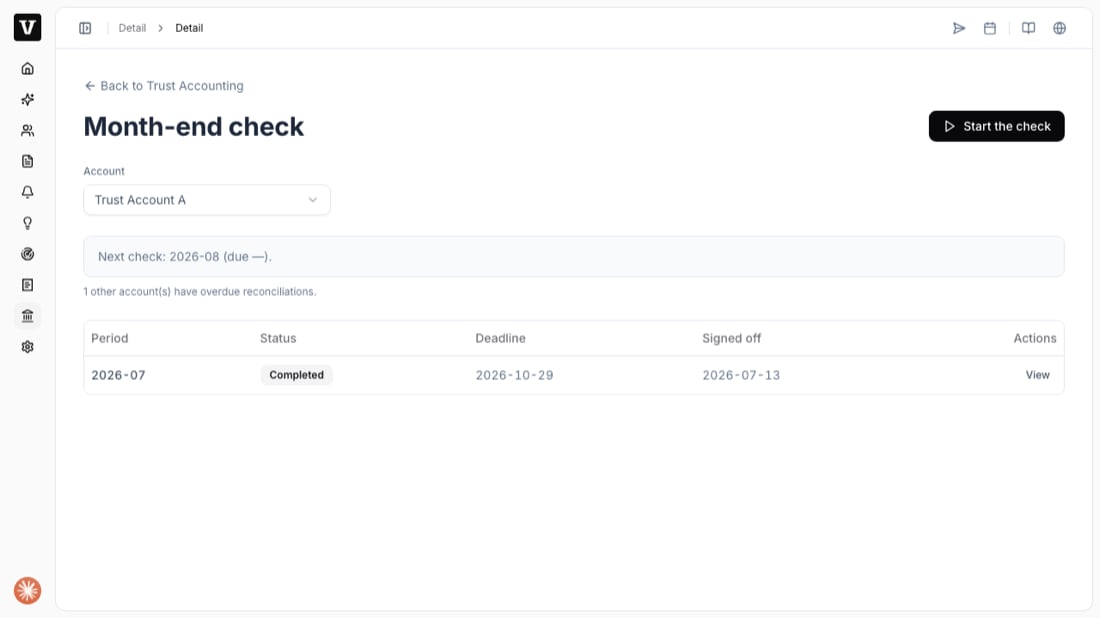
The four steps
The check runs as a wizard: Statement → Matching → Review → Sign-off.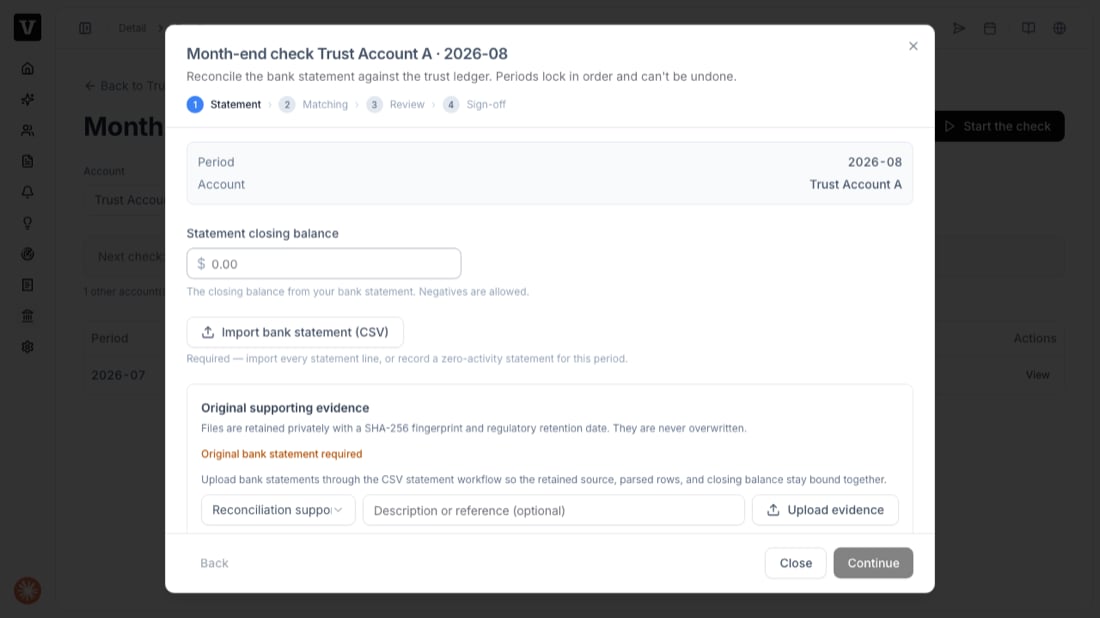
1
Statement
Enter the statement closing balance from your bank statement, then Import bank statement (CSV) so every statement line is loaded. Upload the original bank statement as evidence — files are retained privately with a fingerprint and never overwritten. Press Continue.
2
Matching
Match each bank line to the trust ledger entry it corresponds to. VisaFlo suggests a match when there’s exactly one candidate (same direction, same amount, within a few days); otherwise you pick from the candidates. A bank line with no ledger entry (like a pure bank fee) can be ignored with a reason.
3
Review
Review the three balances. If they don’t agree, VisaFlo tells you why — an out-of-balance book, a shortage (bank less than obligations), or an unexplained surplus — and won’t let you sign off until it’s resolved.
4
Sign-off
Confirm the attestation and sign. If independent review is on, the signer must be different from the preparer. Signing locks the period.
After sign-off
The month is locked and becomes a signed regulatory record. You can view it any time under Month-end check, and it feeds the year-end compliance pack under Reports.Found a mistake in a locked month? You don’t reopen it. Post a correcting (reversing) entry in the current open month and reconcile that month — the paper-ledger way.
Troubleshooting
- “Period out of order” — an earlier month isn’t reconciled yet. Do the earliest open month first.
- Can’t sign off — the three balances don’t agree, or a bank import is still in progress. Resolve the difference the Review step shows.
- Shortage detected — the bank holds less than you owe clients. VisaFlo opens a shortage incident automatically; assess, restore, and (if required) report it, then complete the balanced reconciliation.
- “Self approval” — independent review is on and you prepared this check. A different team member must sign it.