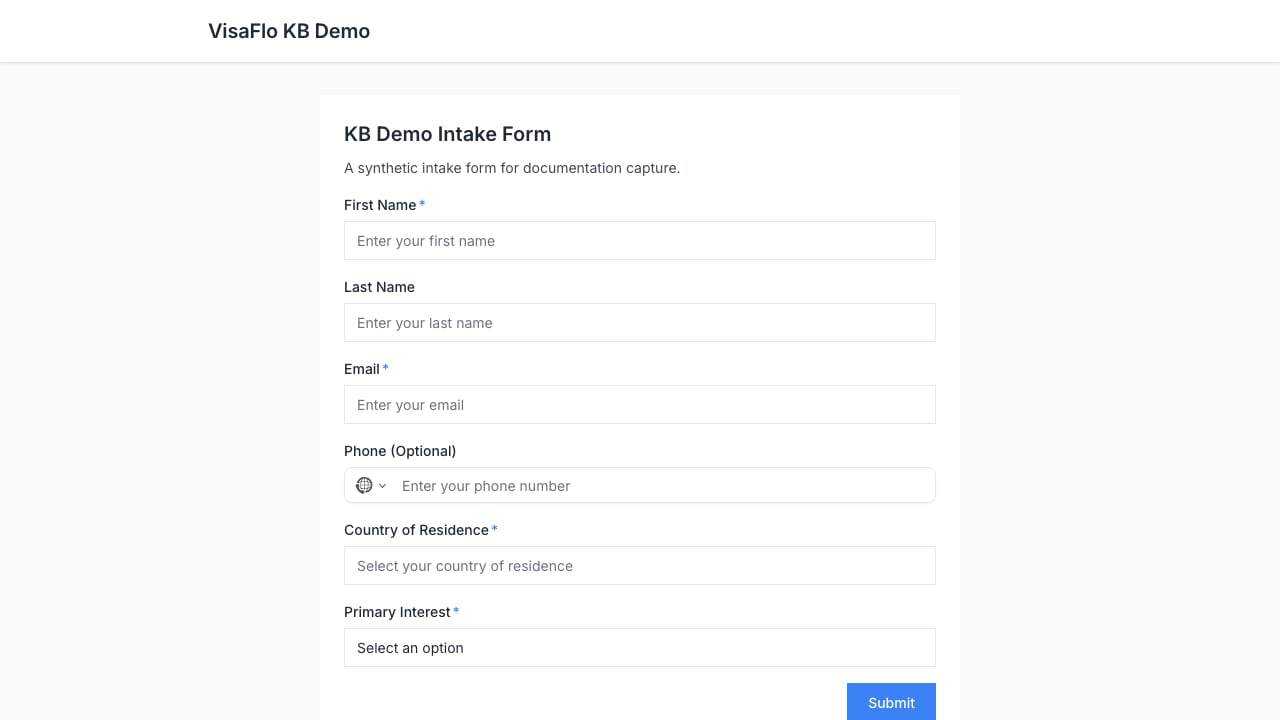
Create a lead form
Open Settings > Lead Forms and create a new form for the inquiry you want to collect. Use a short title and description that explain what the visitor will receive or what happens next.Build and preview the form
Use Form Settings to set the title, description, theme, and submit label. Add only the fields needed to route or qualify the inquiry; every unnecessary required field reduces completion.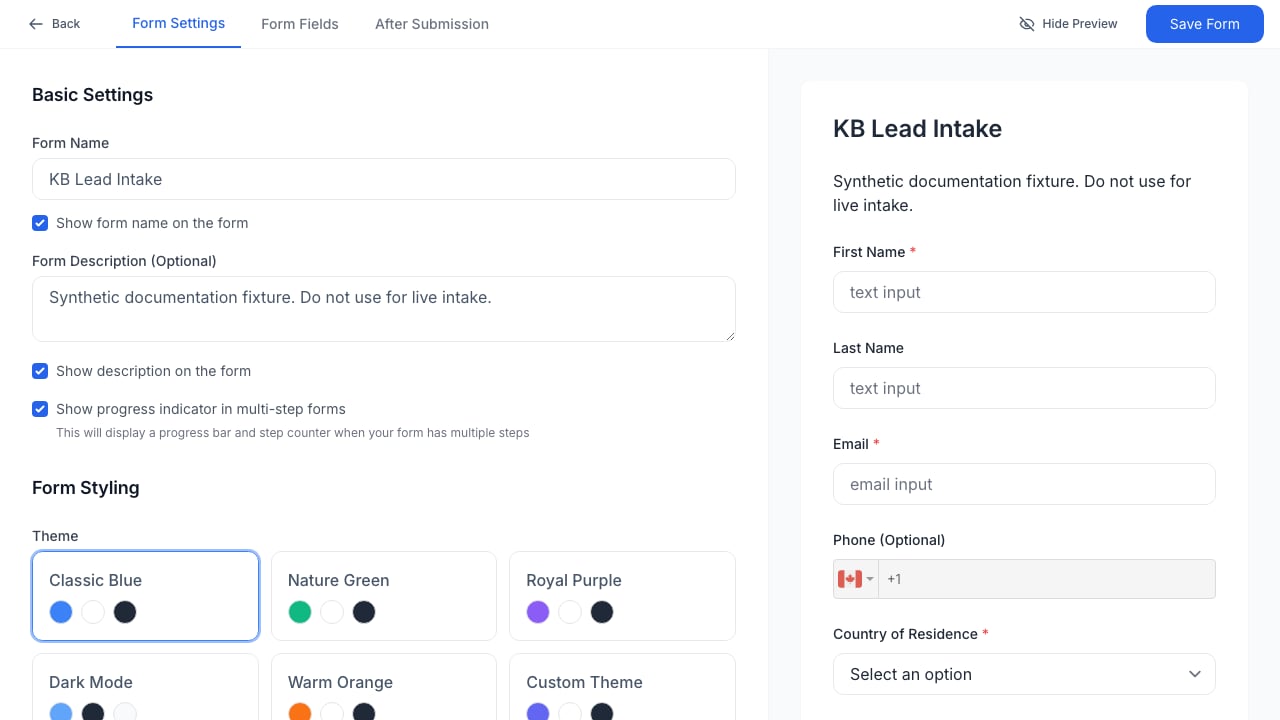
Publish and embed
Open the public form URL before adding it to your website. Confirm the title, required fields, and submit action are clear, then use the public URL or embed instructions from the form workflow.