Create an invoice
Open Billing and select Create Invoice. Choose the client or lead, set the issue and due dates, then add one or more line items. Mark government fees separately from professional fees and apply tax only where appropriate. Set a due date when you need payment reminders. Add payment instructions before creating the invoice; the invoice record can be created before you create or send a payment link.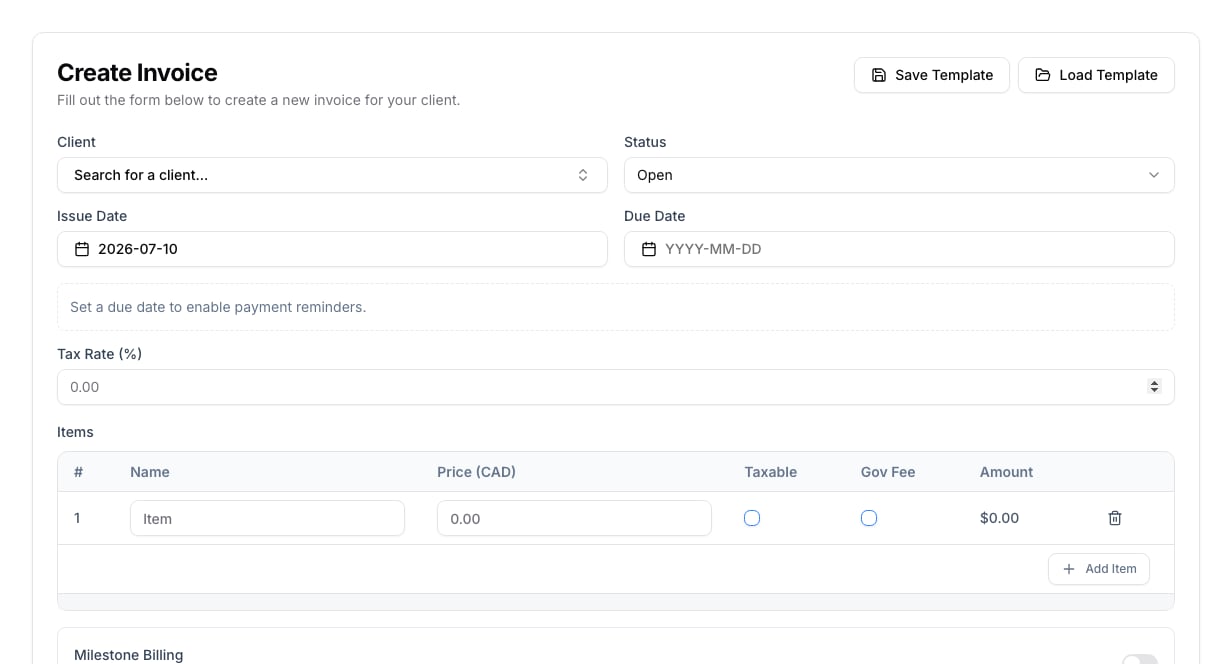
Review and request payment
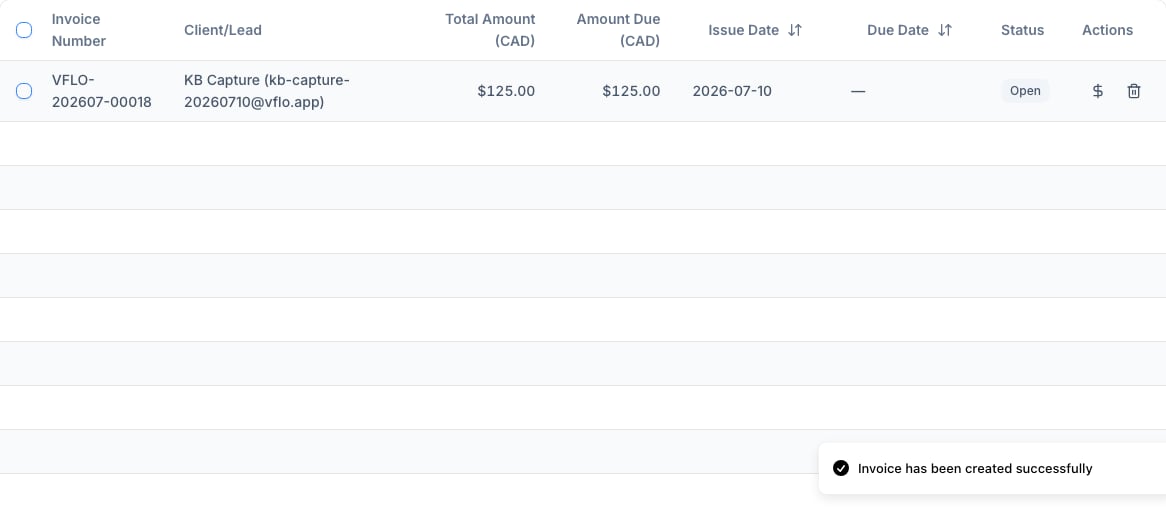
After creating the invoice, return to Billing to check the client, amount due, issue date, due date, and status. Use the payment action on the invoice row only after reviewing the amounts and instructions. You can email an invoice without connecting Stripe. The email includes your payment instructions, such as e-transfer details. When Stripe is connected, it also includes an online payment link. For an invoice billed in stages, use Send beside the relevant payment stage.