

Collect and qualify leads
Leads represent people who are not yet active clients. Create leads manually, collect them through public lead forms, or receive them from connected acquisition workflows.Track leads by stage
Use Board View to group leads by lifecycle stage. Search by full name, email, or phone before moving a prospect to the next stage.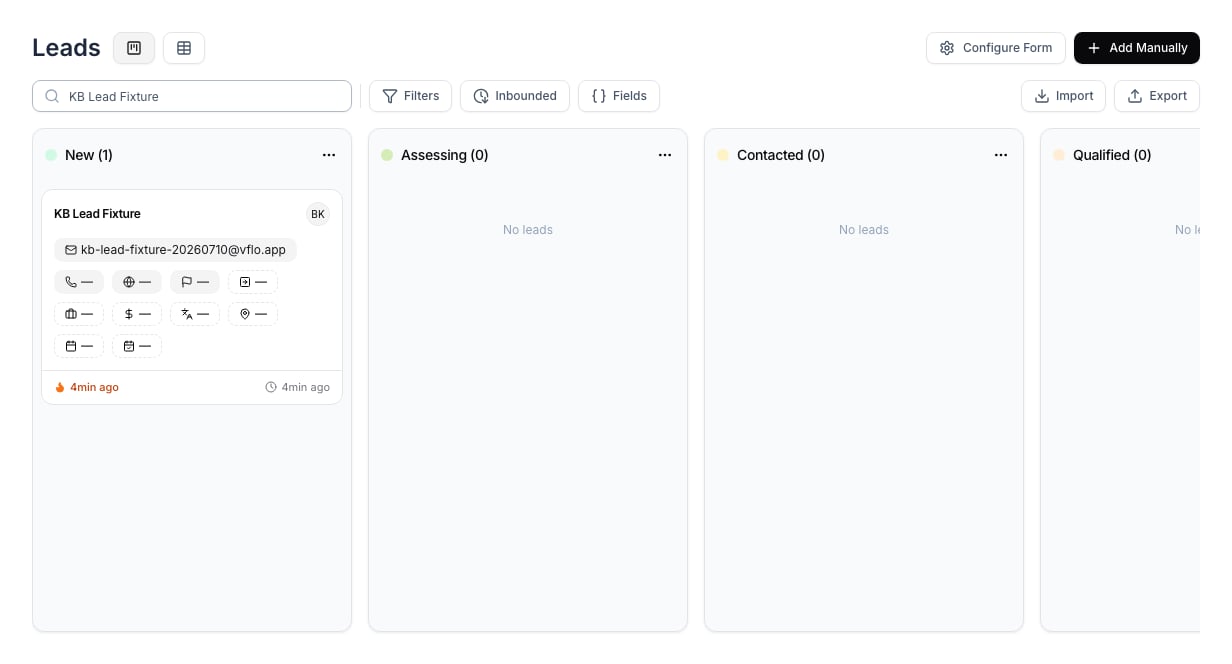
Review a new lead
Open a lead to confirm contact information, current stage, and the activity timeline. The timeline shows how the lead entered VisaFlo, which gives the assigned team member context for the next follow-up.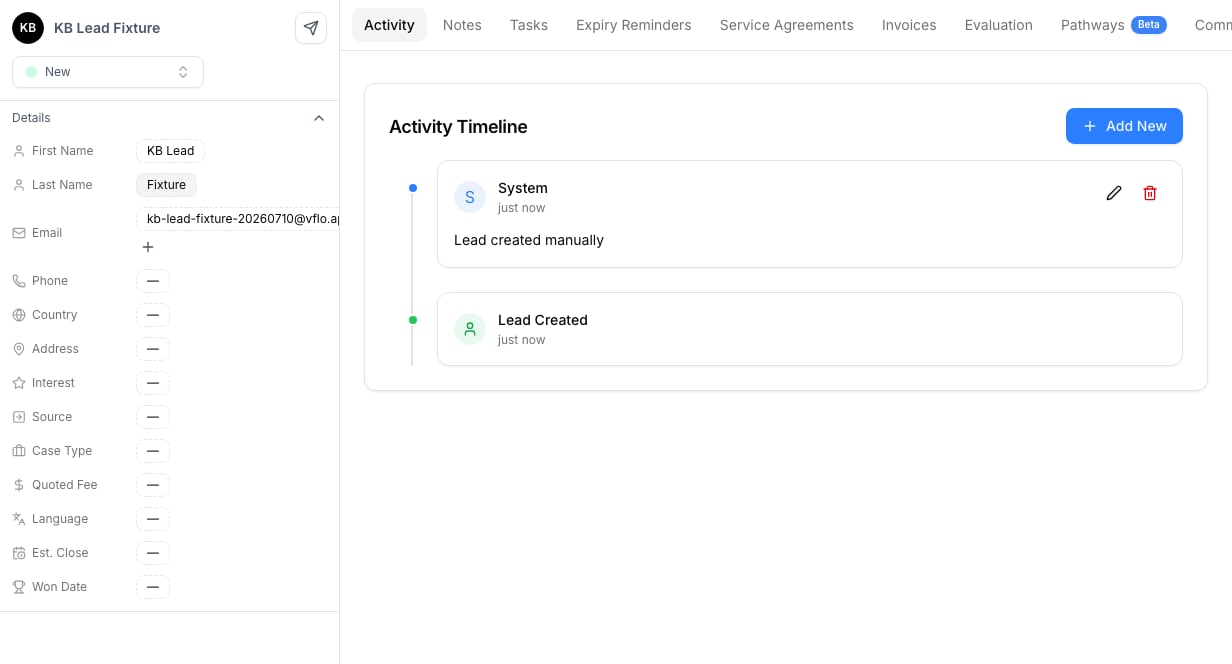
Suggested lifecycle
- Capture the inquiry through a form, booking flow, integration, or manual entry.
- Qualify the lead and record the next action.
- Move the lead through your team’s stages as the conversation progresses.
- Convert the lead to a client once the engagement is confirmed.
- Mark the lead closed when the opportunity is no longer active.