
Files are part of the case record

Use the case file manager for source evidence, client uploads, generated documents, and final outputs that belong to a specific matter. A clear file structure makes drafting, review, sharing, and submission preparation faster because every staff member can see which documents are source material and which are outputs.

Use a small, repeatable folder structure

Begin with a structure your whole team can follow, such as:
  • Client evidence: identity, financial, relationship, employment, or other source documents.
  • Forms and drafts: working questionnaires, generated forms, and draft letters.
  • Agreements and signed outputs: approved agreements and signed copies.
  • Submission or correspondence: filed copies, receipts, and external communication.
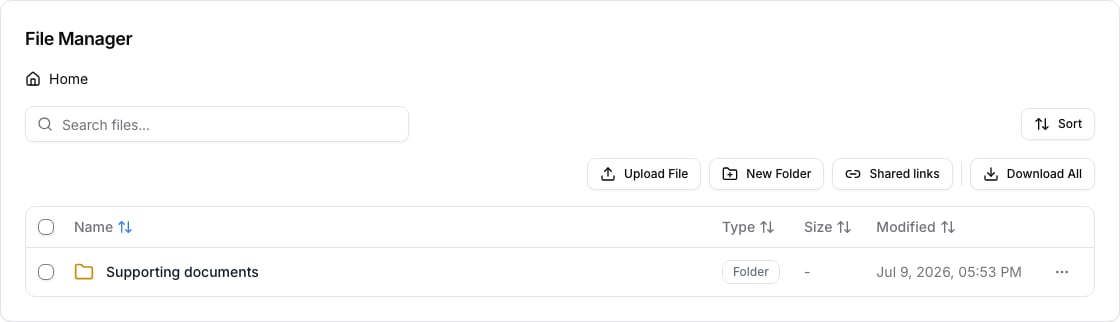
Do not create a new folder for every one-off document. Add a folder only when it helps a reviewer find a group of files repeatedly. Case file manager with an organized document folder

Choose the right action

Request documents from clients

Use questionnaire upload requests when you need the client to provide a specific document as part of information collection. Use the case file manager for staff organization after the file is received. This separation keeps a client request tied to the questionnaire while keeping the final case record usable by the team.

Keep versions reviewable

Do not overwrite a meaningful source document just because a revised copy arrived. Use names that show the document purpose and version, then open the file before relying on it for drafting, signing, or submission. When you merge or compress a document, treat the result as a new output and check every page.

IMM PDF note

Some IMM PDFs use XFA formatting and can behave differently from regular PDFs. If a file action is unavailable or the result does not behave as expected, retain the original and use the product workflow only after checking the output. Do not submit a modified form without reviewing it in the destination system.

Troubleshooting

If an expected client upload is missing, check the questionnaire request and the case folder before asking the client to upload again. If a file will not open, generated documents do not appear in the case, or an upload limit blocks progress, keep the case ID and file name for support.