
Generate from reviewed questionnaire data
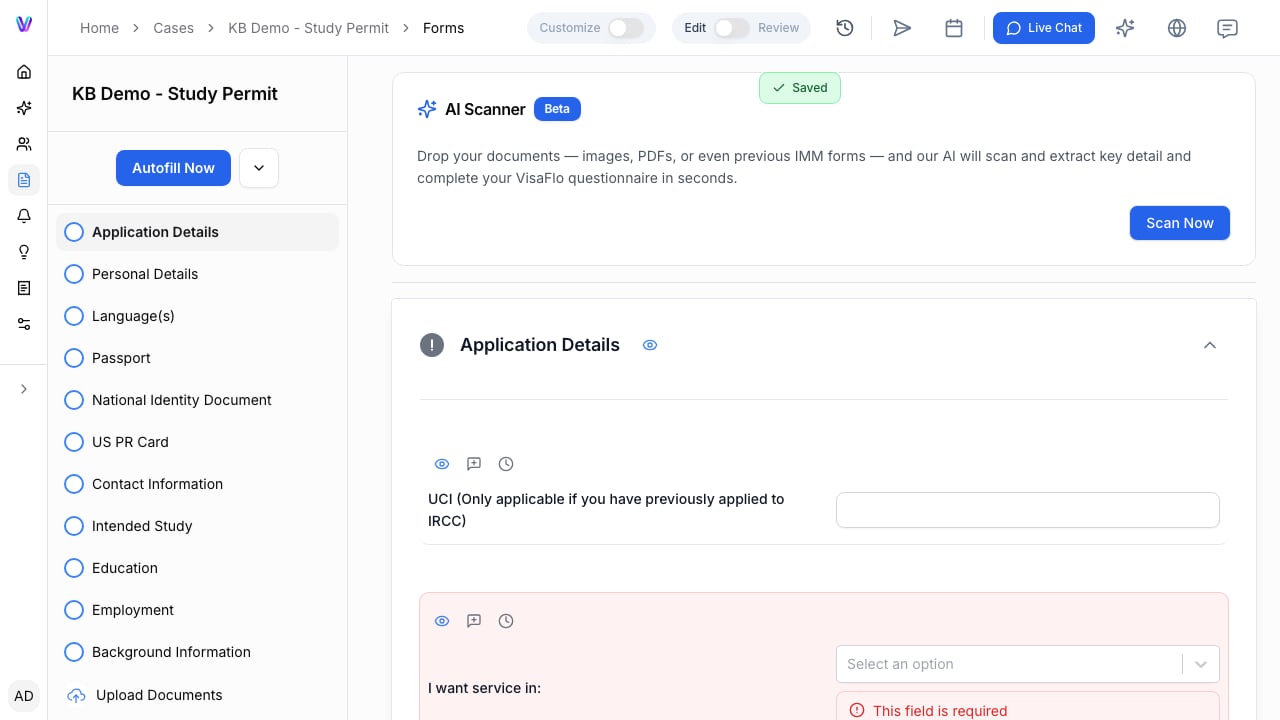
The case Forms workspace, where staff start document autofill from reviewed questionnaire data. VisaFlo can prepare supported IMM PDF outputs from the case forms workflow. Before generation, confirm that the case type is correct, required questionnaire sections are complete, and the relevant client and family-member information has been reviewed. The generated PDF is a preparation output. Open it and compare it with the questionnaire and source documents before giving it to a client, attaching it to a portal, or filing it.

Review the generated output

Check the sections that commonly depend on case-specific facts:
  • Names, dates of birth, and document identifiers.
  • Addresses, travel, and personal history.
  • Family members and relationship details.
  • Employment, education, and other application-specific facts.
  • Any declaration, signature, validation, or barcode step required by the destination process.
If the generated PDF differs from the source record, correct the questionnaire or case data first, then regenerate and review a new copy. Do not edit only the final file when the underlying data is wrong.

When a government form changes

Government forms and portal workflows can change. If a form version, field, validation step, or barcode behaviour appears different from what your team expects, stop and verify the current destination requirement before proceeding. Use the supported VisaFlo workflow only after confirming that it matches the current form and case type. For a time-sensitive or submission-blocking change, preserve the source data, note the affected form and step, and contact VisaFlo support with a sanitized description. Do not rely on an old generated copy merely because it worked for a previous case.

Troubleshooting

If generation is unavailable, check the case type, required questionnaire fields, and any visible validation messages. If a PDF does not open, appears incomplete, or does not validate as expected, do not file it. Review the source data and destination requirements, then regenerate only after the cause is understood. See Auto-fill IMM forms for the detailed preparation workflow and Automation & Review for the review boundary.