IRCC PDF editor
Edit and validate IRCC forms in your browser.
No Adobe Reader and no “Please wait…” page. Open the form in the case, change any field, and press the form’s own Validate to get its barcode page.
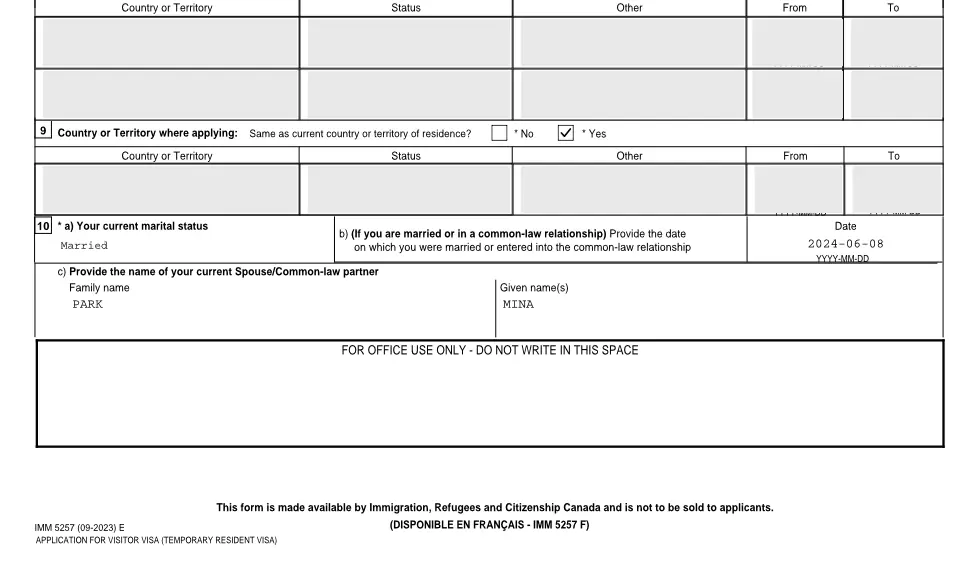
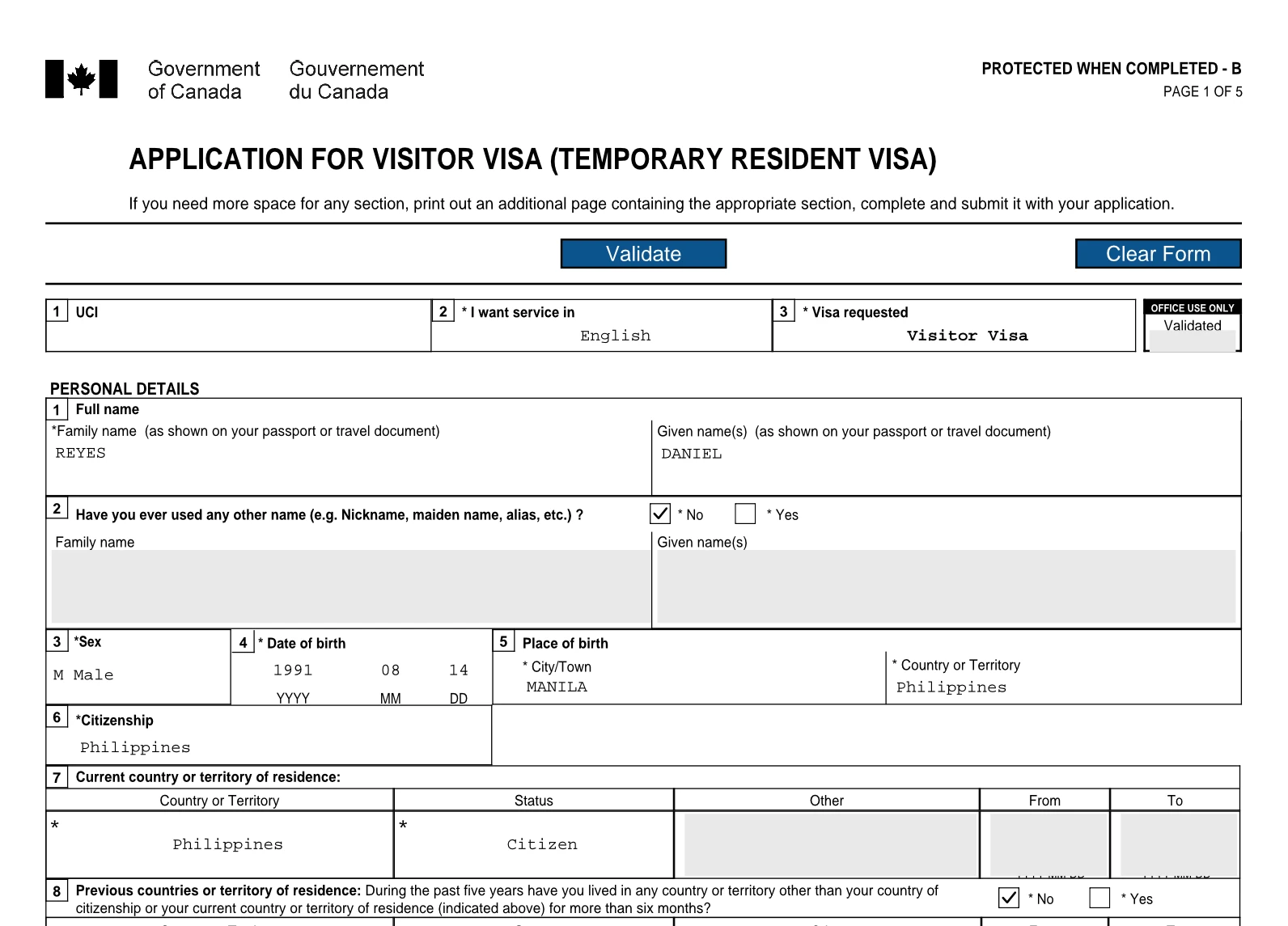

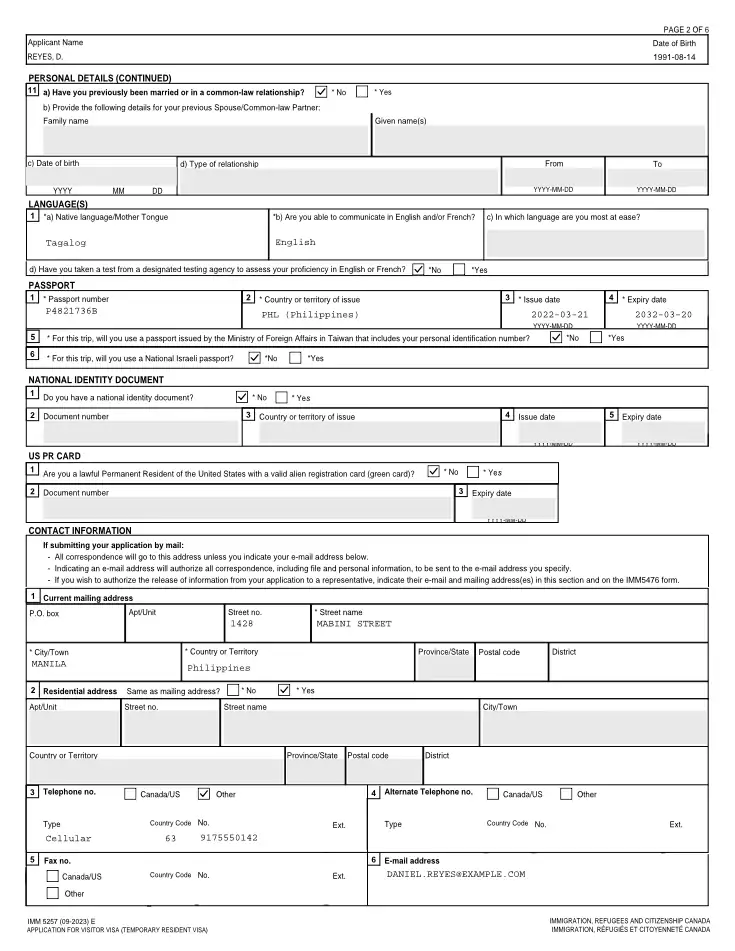
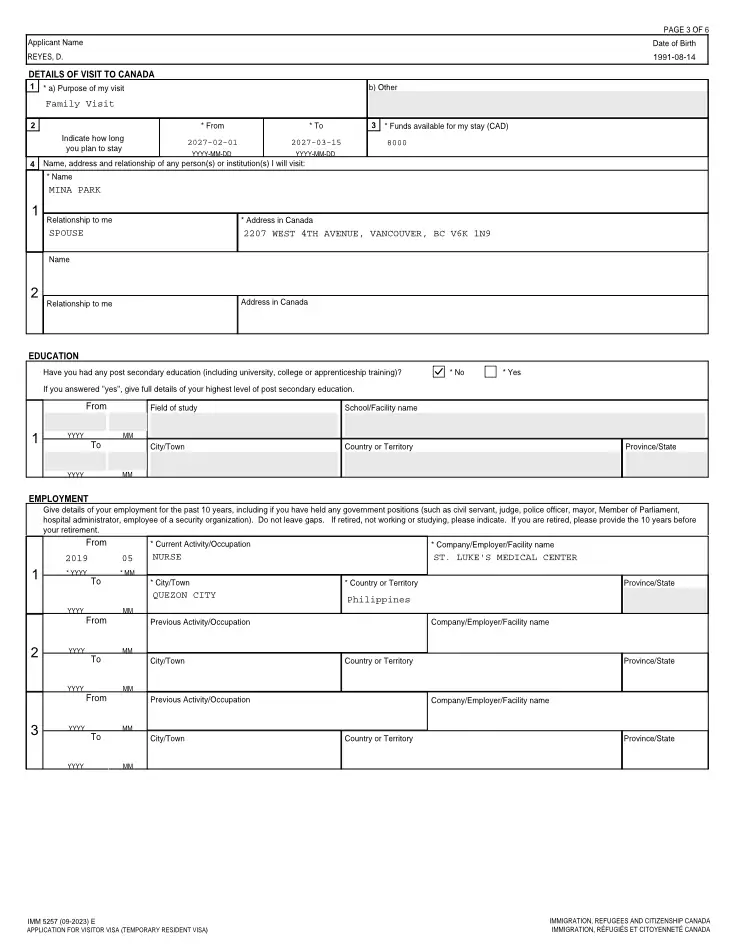
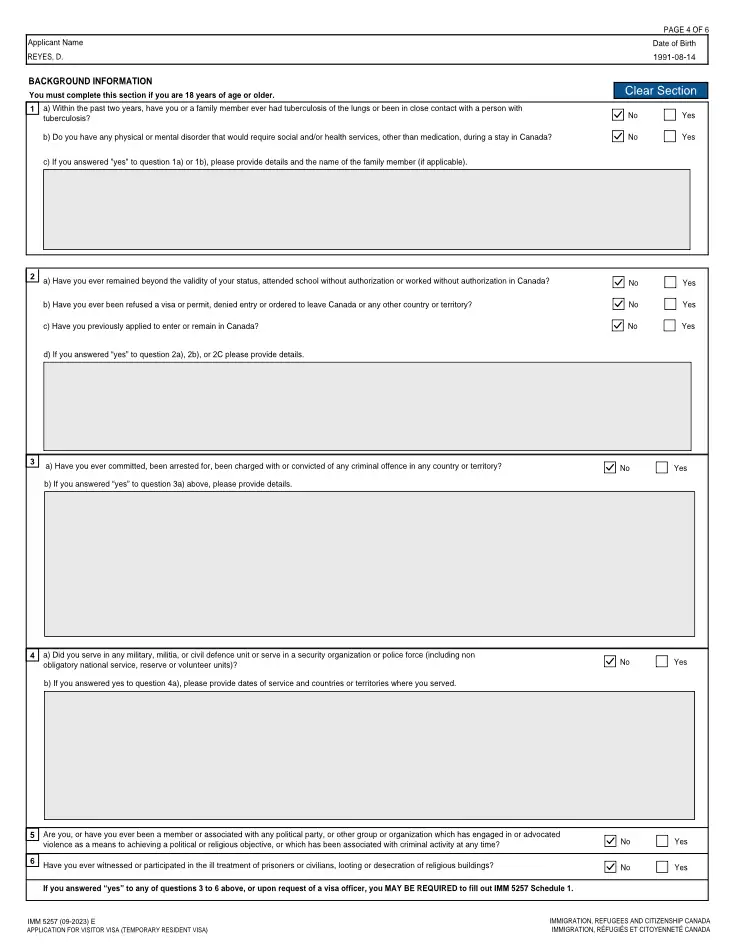
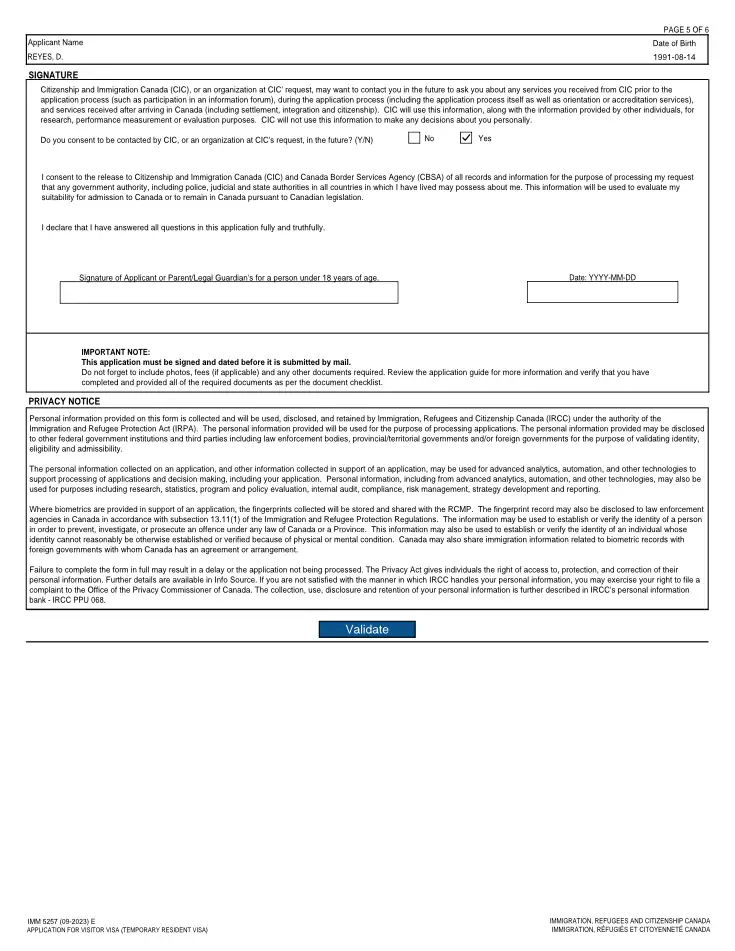
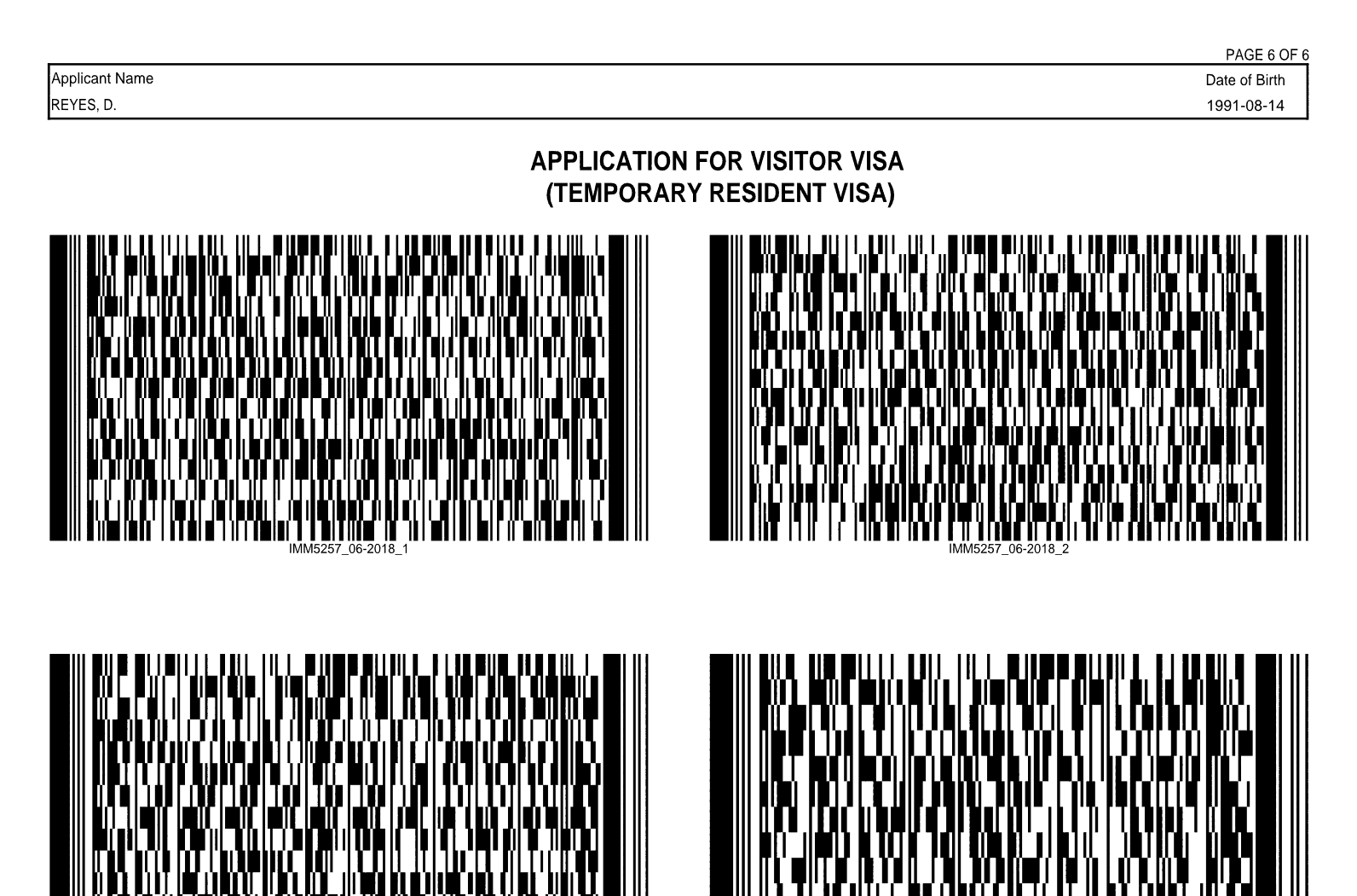
From the case’s files to a validated form
- 01Open itClick an IRCC form in the case’s files. Every page is drawn in the browser, with nothing to install.
- 02Edit in placeClick a box on the form and type. Each change is listed beside the form, with its old value and an undo.
- 03ValidatePress the form’s own Validate. When it passes, the barcode page is there. When it doesn’t, Go to field opens the box to fix.
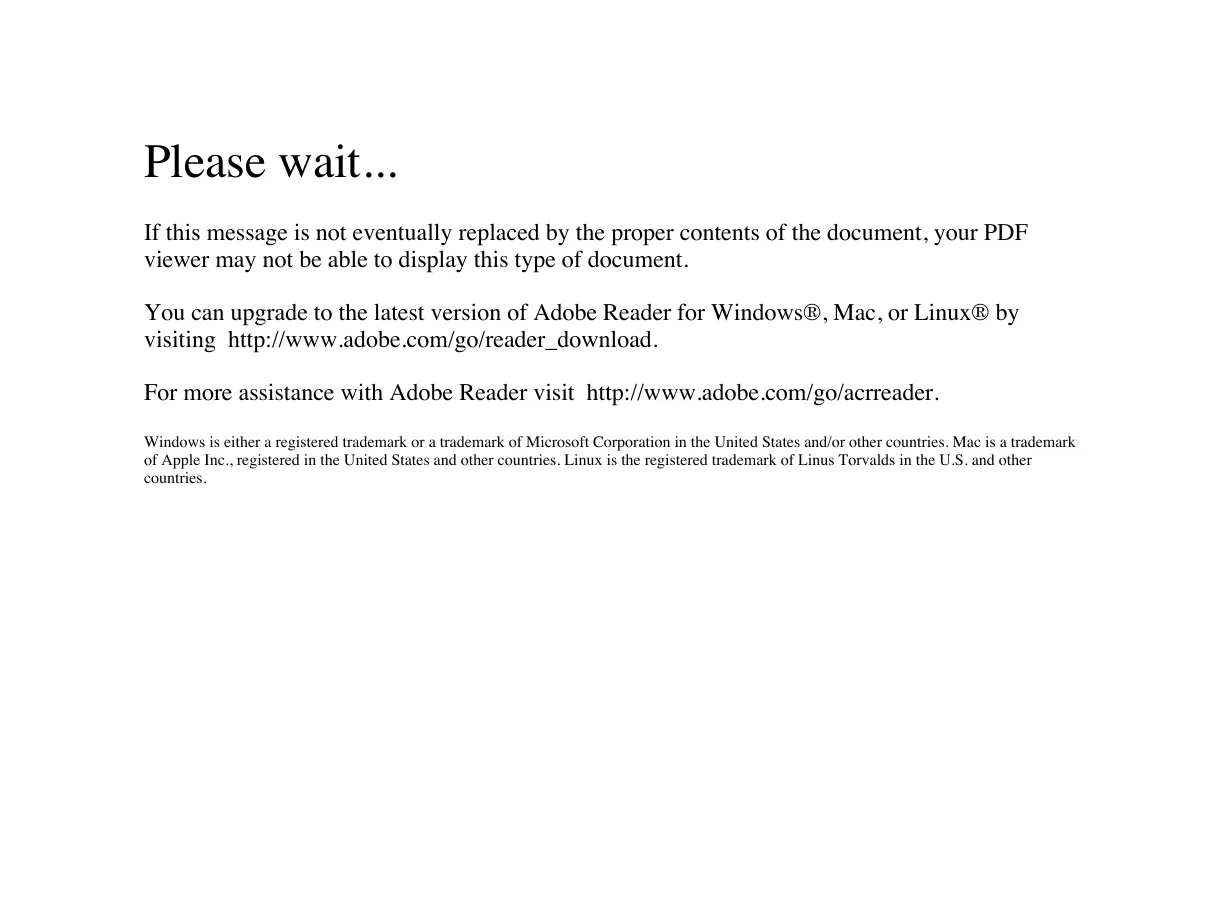
No more “Please wait…”
Chrome, Edge and Mac Preview can’t show IRCC forms. They open a cover page that says to upgrade Adobe Reader. VisaFlo draws the form itself, so anyone at the firm can open it on any computer.
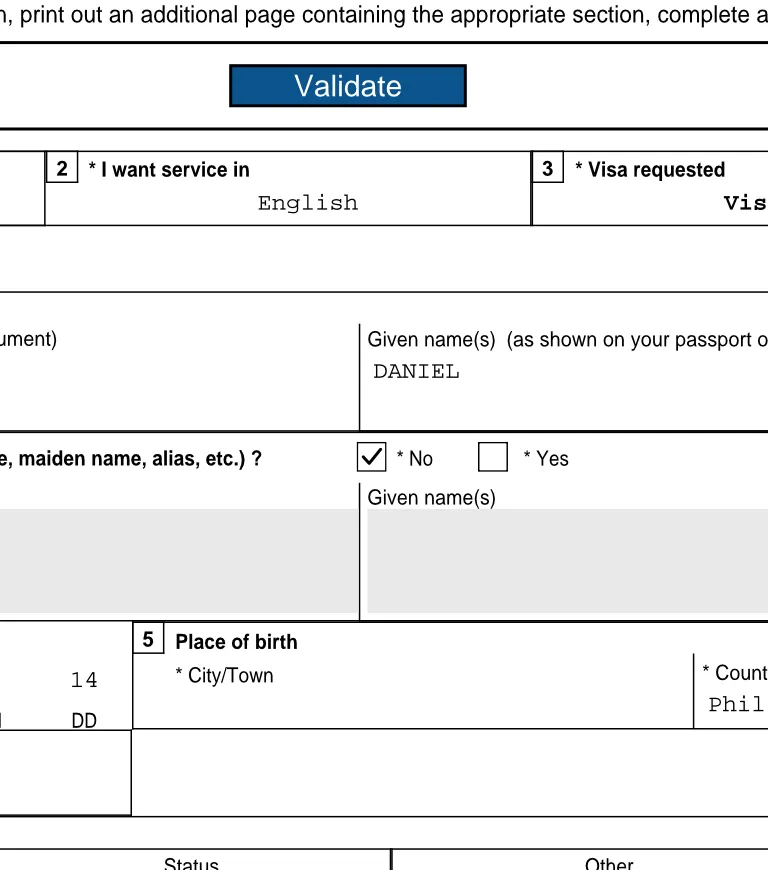

Validate takes you to the field
When the form’s Validate doesn’t pass, VisaFlo lists what the form flagged, like a box that needs a value or a date in the wrong format. Go to field opens that box, so you fix it and validate again.
Every save is a version
Save keeps the form as a new version of the same file, with who edited it. Save as puts a copy in the same folder. Earlier versions stay listed, and any of them can be restored.
Filled from the client’s answers
VisaFlo Autofill fills the case’s IMM forms from the questionnaire and runs each form’s Validate. Open any of them here to check a box or add what the client left out.
It behaves like the form
- Boxes stop when fullA box takes only what the printed form has room for, as in Adobe Reader.
- Dates in the form’s formatA date field opens a picker and writes the date the way the form asks for it.
- The form’s own checksValidate runs the checks IRCC built into the form, not a copy of them.
- Changes you can undoEvery changed box is listed with its old value. Undo any one of them before you save.
- Save as a copySave as puts a copy in the same folder and leaves the original as it was.
- Nothing to installIt runs in the browser. No Adobe Reader, plugin or add-on on anyone’s computer.
Questions firms ask
IRCC forms are XFA forms, a kind of PDF most viewers can’t draw. Chrome, Edge and Mac Preview show the form’s cover page instead, the one that begins “Please wait... If this message is not eventually replaced by the proper contents of the document, your PDF viewer may not be able to display this type of document.” VisaFlo draws XFA forms itself, so the real form opens.
Not to open, edit or validate a form in VisaFlo. Keep it if you also work on IRCC forms outside VisaFlo.
Yes. It stays the same IRCC PDF, saved with your changes, the form’s Validated box and its barcode page.
The forms IRCC built with barcodes, like IMM 5257, add their barcode page when the form’s own Validate passes, as they do in Adobe Reader. A form without a Validate button has nothing to validate in any reader.
Yes. Any IRCC form in the case’s files opens the same way, whether the client sent it, someone at the firm uploaded it or VisaFlo Autofill made it.
Anyone at the firm who can edit the case. Each save keeps a new version with who edited it, so nothing is lost.
Bring a form that says “Please wait…”
Book a demo and we’ll open it, fix a field and validate it with you. 30-day money-back guarantee.