> ## Documentation Index
> Fetch the complete documentation index at: https://visaflo.ca/knowledge-base/llms.txt
> Use this file to discover all available pages before exploring further.
# Request Online Payment
> With VisaFlo , easily request payments from your clients by sending secure online payment links. Follow these simple steps to streamline the payment process. St...
## Create an invoice
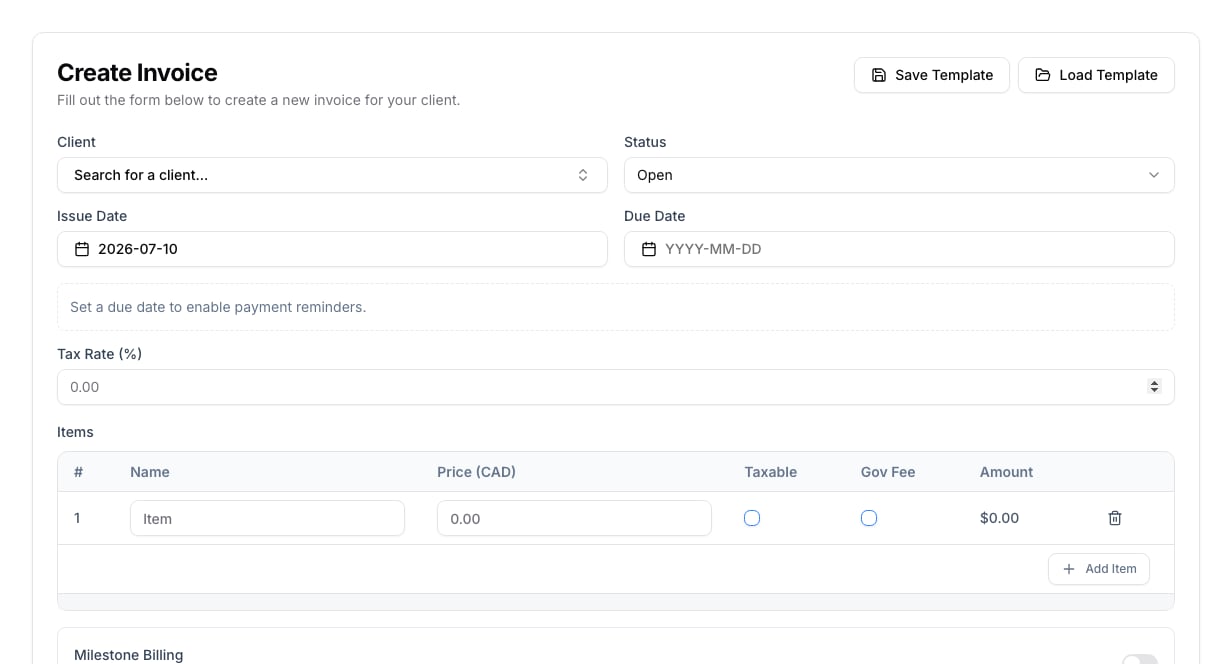
Open **Billing** and select **Create Invoice**. Choose the client or lead, set the issue and due dates, then add one or more line items. Mark government fees separately from professional fees and apply tax only where appropriate.
Set a due date when you need payment reminders. Add payment instructions before creating the invoice; the invoice record can be created before you create or send a payment link.
 ## Review and request payment
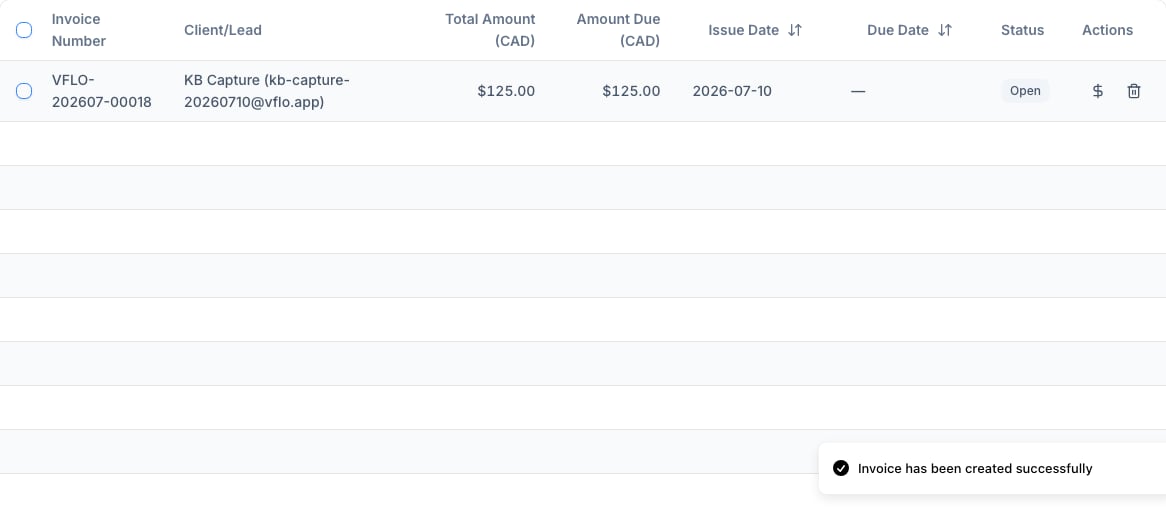
After creating the invoice, return to **Billing** to check the client, amount due, issue date, due date, and status. Use the payment action on the invoice row only after reviewing the amounts and instructions.
## Review and request payment
After creating the invoice, return to **Billing** to check the client, amount due, issue date, due date, and status. Use the payment action on the invoice row only after reviewing the amounts and instructions.
 ## Troubleshooting
If the payment action is unavailable, confirm that the invoice has payment instructions and that your payment provider is connected. Check the status before sending another request so the client does not receive duplicate payment links.
## Troubleshooting
If the payment action is unavailable, confirm that the invoice has payment instructions and that your payment provider is connected. Check the status before sending another request so the client does not receive duplicate payment links.