> ## Documentation Index
> Fetch the complete documentation index at: https://visaflo.ca/knowledge-base/llms.txt
> Use this file to discover all available pages before exploring further.
# Which integrations VisaFlo supports and what can be automated with APIs
> Plan integrations around a clear system of record, a narrow data flow, and explicit authorization for every connected app or API workflow.
## Start with the workflow, not the integration name
An integration is valuable when it removes a repeated handoff without creating two competing versions of the same record. Before connecting a tool, define the event, data, owner, and expected outcome.
For example: “A website enquiry creates a lead with source and contact details, then the intake owner receives a follow-up task.” This is clearer and safer than “connect the website to VisaFlo.”
## Choose the system of record
For each workflow, decide which system owns the durable record:
* VisaFlo should own client, lead, case, questionnaire, task, and case-document context when the work is being delivered in VisaFlo.
* An external storage, accounting, calendar, or communication system may own its specialized record.
* An integration should copy or reference the minimum data needed to coordinate the two systems, not mirror every field indefinitely.
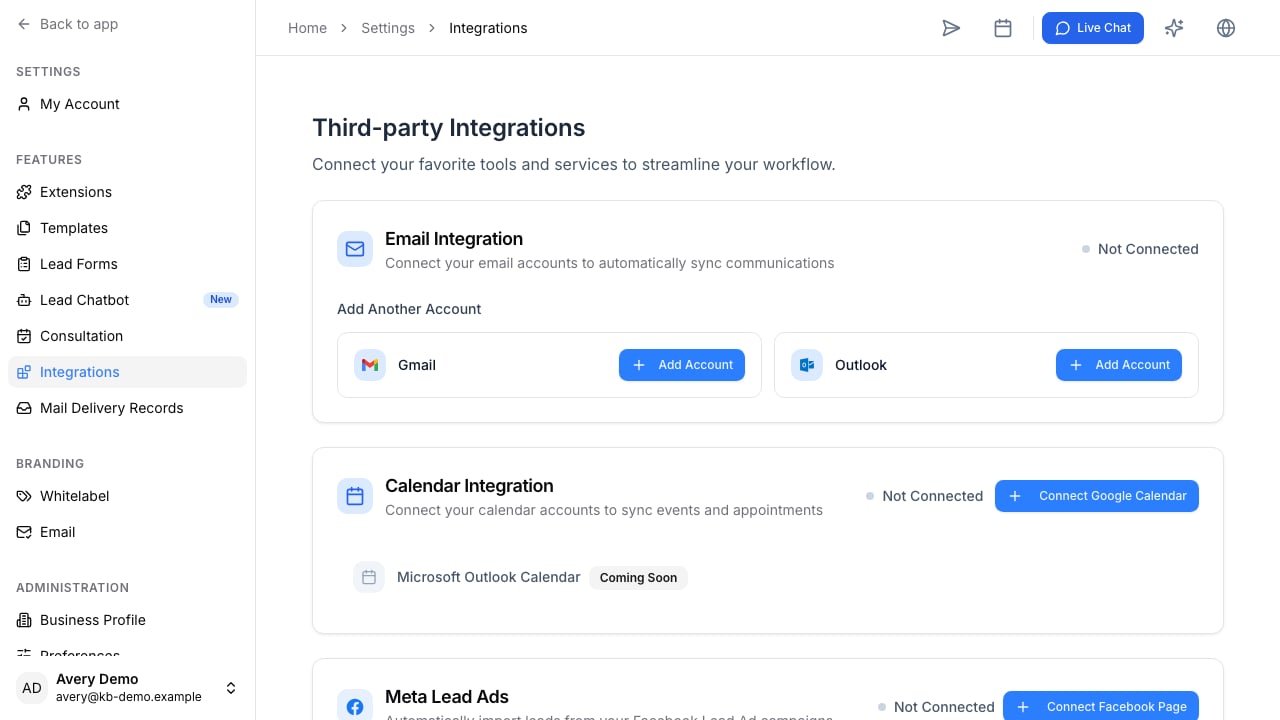
## Common connection patterns
| Goal | Typical flow | Decision to make first |
| ---------------------------------- | ---------------------------------------------------------------- | ------------------------------------------------------------------------------- |
| Capture website enquiries | Form or chatbot to VisaFlo lead | Who owns follow-up and what counts as a qualified lead? |
| Coordinate documents | VisaFlo case files with supported storage workflow | Which system stores the authoritative file and which identifiers remain linked? |
| Connect calendar or communications | VisaFlo record linked to an external event or message | Which updates should create a task or notification? |
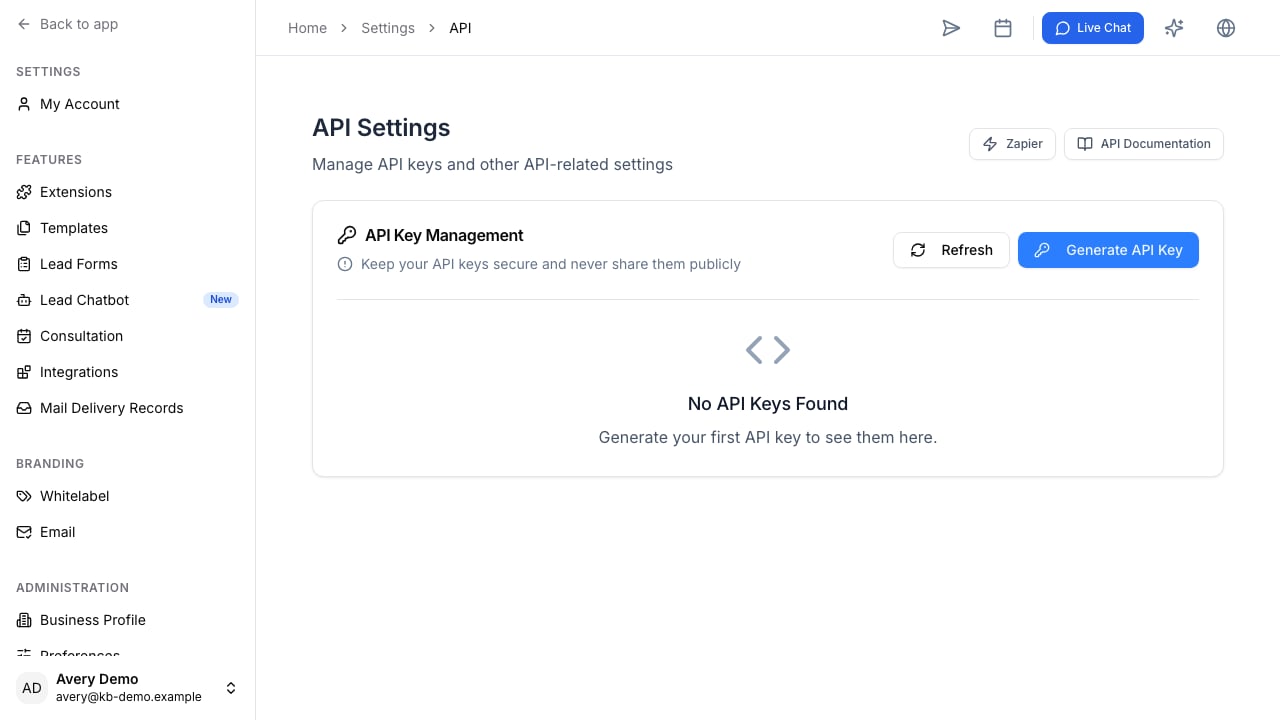
| Extend reporting or automation | VisaFlo API or connected app to external workflow | Is the flow one-way, two-way, or approval-gated? |
| Use an AI assistant | Connected app or MCP connection reads authorized VisaFlo context | Which teams, records, and actions should the assistant be allowed to access? |
 ## Connect AI assistants deliberately
Open **Settings** > **Connected apps** to review compatible assistant connections and start authorization.
## Connect AI assistants deliberately
Open **Settings** > **Connected apps** to review compatible assistant connections and start authorization.
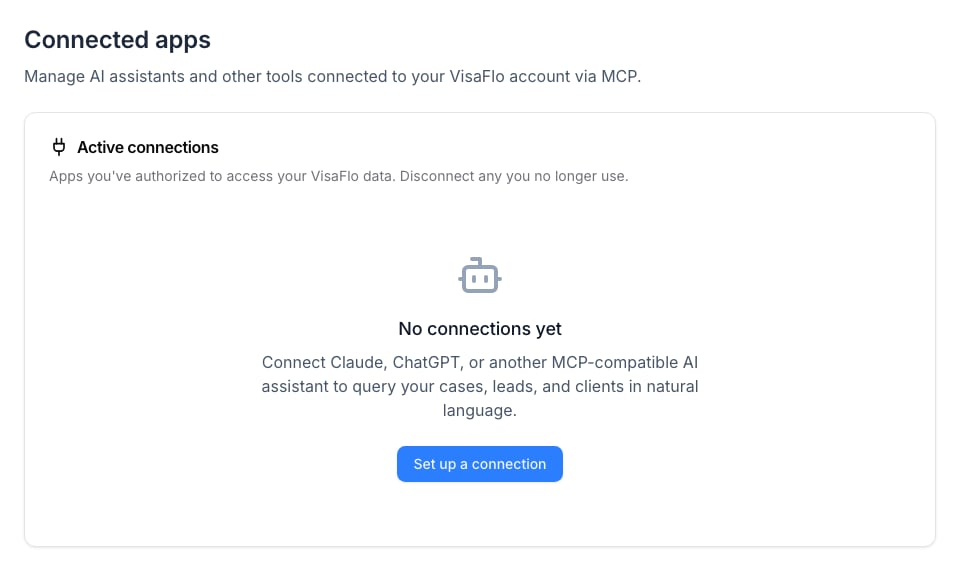 Connect only assistants and accounts your firm trusts with the records they will be allowed to query. Review the requested access before authorizing, disconnect an app that no longer has a business purpose, and do not put credentials or unreviewed sensitive case data into an external prompt merely because a connection exists.
## Build an integration in stages
1. Start with one trigger and one outcome.
2. Map the smallest useful field set.
3. Test with a synthetic or non-production record.
4. Decide how errors are surfaced and who corrects them.
5. Add a review step before the integration creates sensitive or high-consequence records.
6. Measure whether the automation actually removes a manual handoff.
## Information to bring to support
When you need help planning an integration, provide the external tool, trigger, desired VisaFlo record, field mapping, expected frequency, and whether the flow can create or change data. This lets the team distinguish a simple setup from a custom integration or API requirement.
Connect only assistants and accounts your firm trusts with the records they will be allowed to query. Review the requested access before authorizing, disconnect an app that no longer has a business purpose, and do not put credentials or unreviewed sensitive case data into an external prompt merely because a connection exists.
## Build an integration in stages
1. Start with one trigger and one outcome.
2. Map the smallest useful field set.
3. Test with a synthetic or non-production record.
4. Decide how errors are surfaced and who corrects them.
5. Add a review step before the integration creates sensitive or high-consequence records.
6. Measure whether the automation actually removes a manual handoff.
## Information to bring to support
When you need help planning an integration, provide the external tool, trigger, desired VisaFlo record, field mapping, expected frequency, and whether the flow can create or change data. This lets the team distinguish a simple setup from a custom integration or API requirement.