> ## Documentation Index
> Fetch the complete documentation index at: https://visaflo.ca/knowledge-base/llms.txt
> Use this file to discover all available pages before exploring further.
# Adding a Client
> Create a durable client record, assign responsibility, and start the relevant case without duplicating a lead.
## Add a client directly
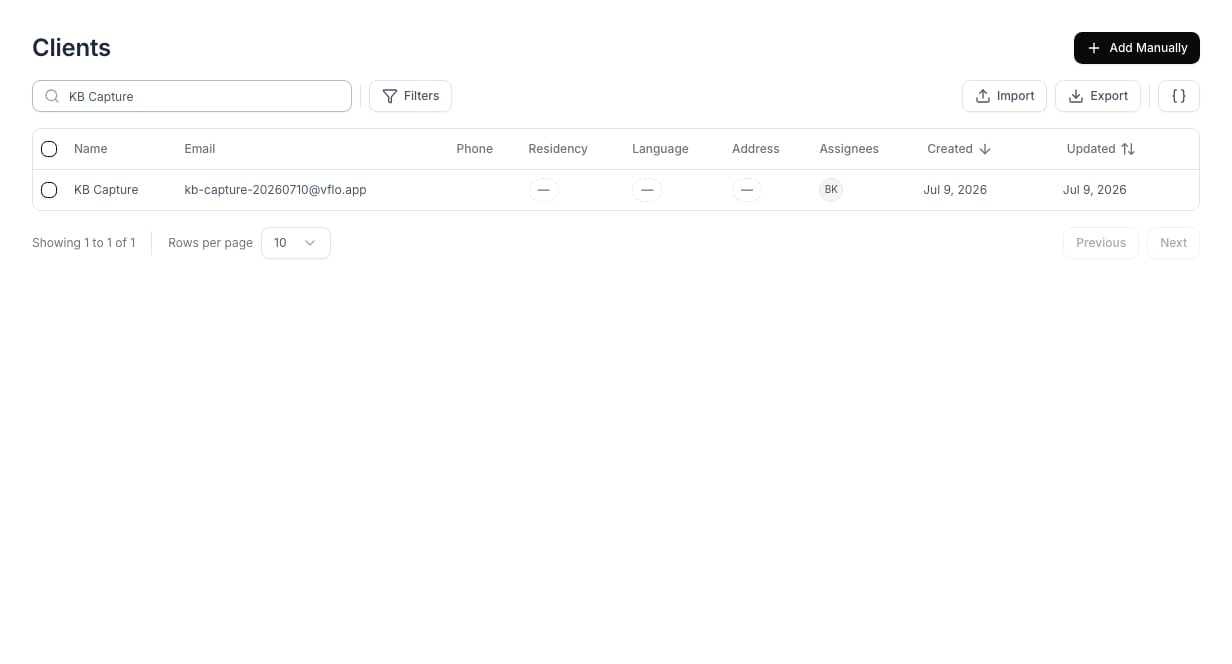
Use **Clients** when a person is already engaged and should be managed as a client rather than a prospective lead.
1. Open **Clients** and select **Add Manually**.
2. Enter the client's name and contact details.
3. Assign the staff member responsible for follow-up.
4. Save the client, then create or link the relevant case.
 ## Review the client record
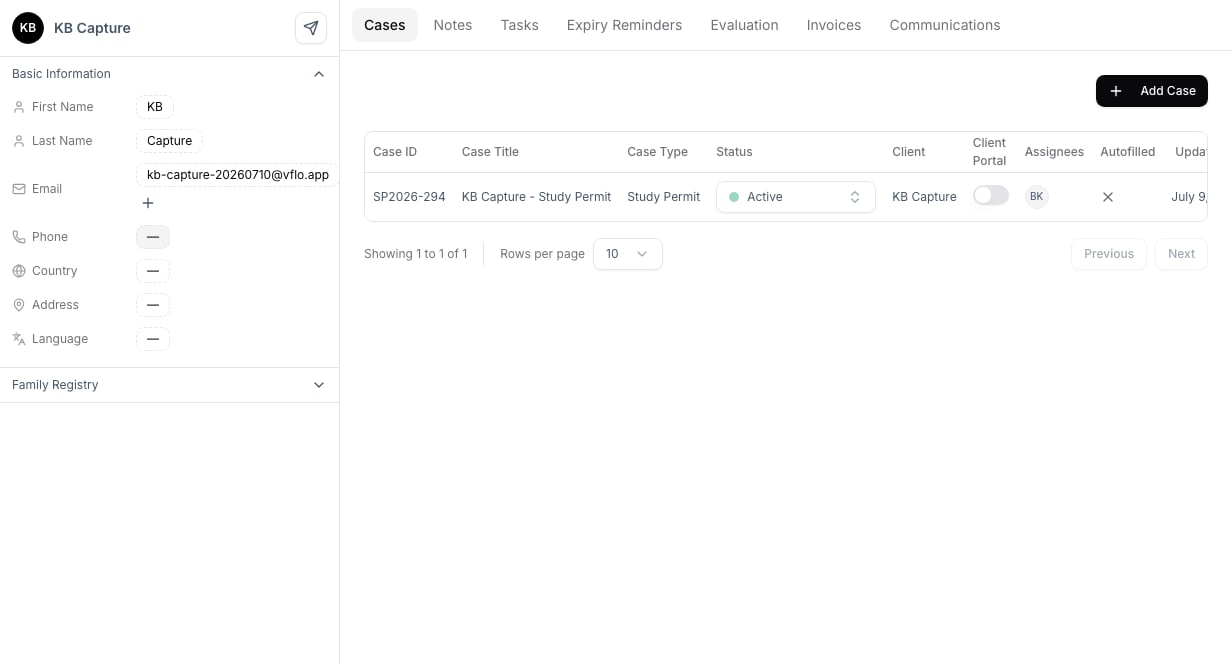
Open the profile after saving to confirm contact details and linked applications. Use the **Cases** tab to review the client's active work, or **Add Case** to begin an application workflow.
## Review the client record
Open the profile after saving to confirm contact details and linked applications. Use the **Cases** tab to review the client's active work, or **Add Case** to begin an application workflow.
 ## Choose client or lead
Create a **lead** when the person is still evaluating services, has arrived through a form, or needs qualification before engagement. Create a **client** directly when the engagement is already confirmed or the work is being imported from an existing system.
## Troubleshooting
Before adding a client, search by name and email to avoid creating a duplicate. For a large migration, use the import workflow rather than adding records one by one.
## Choose client or lead
Create a **lead** when the person is still evaluating services, has arrived through a form, or needs qualification before engagement. Create a **client** directly when the engagement is already confirmed or the work is being imported from an existing system.
## Troubleshooting
Before adding a client, search by name and email to avoid creating a duplicate. For a large migration, use the import workflow rather than adding records one by one.